How to LP on Aerodrome
Start Earning High APRs with UniTomb
Key Notes
UniTomb operates on the Base Chain Blockchain
The gas token for transactions on Base Chain is $ETH
Ensure you have $ETH on Base Chain in your wallet to facilitate transactions
Access Aerodrome.Finance
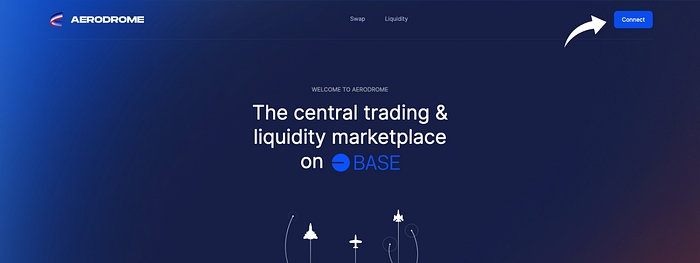
Visit the Aerodrome.Finance website and connect your preferred Digital wallet like MetaMask. Once you are connected it will automatically take you to the “Swap” page.
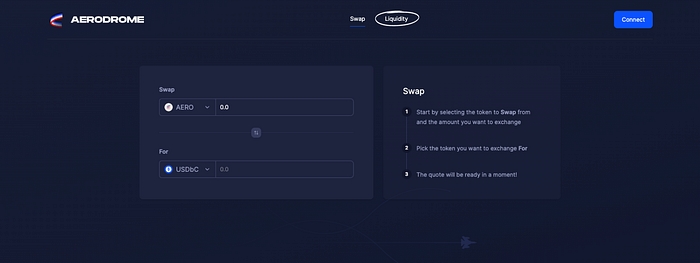
Select the “Liquidity” page
Now that you are on the Swap page look for the “Liquidity” page and select it. You will be redirected to the Liquidity page.
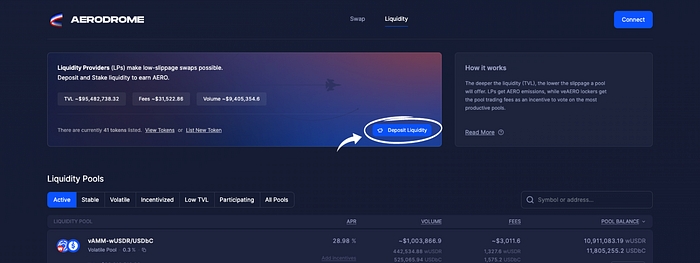
Select the “Deposit Liquidity” Button
You are now on the Liquidity page and you need to look for the “Deposit Liquidity” Button, once you have found it select it and you will be redirected to the page where you will create your liquidity pair.
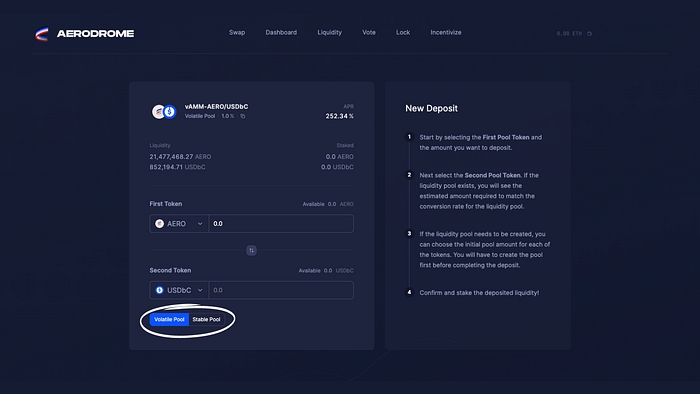
Choose Your Liquidity Provider (LP) Type
Aerodrome offers two types of LPs: Volatile and Stable. Let’s understand the difference:
$UTOMB-WETH - Stable Pool (sAMM)
$USHARE-WETH- Volatile Pool (vAMM)
Stable (sAMM):
sAMM pools are ideal for those who want to minimize impermanent loss and maintain a stable value.
You’ll need to provide both assets in the trading pair, e.g., $UTOMB and $WETH.
Volatile (vAMM):
Volatile pools are designed for traders who want to take advantage of price fluctuations.
You’ll need to provide both assets in the trading pair, e.g., $USHARE and $WETH.
Provide Liquidity
Depending on your selection of either the Stable or Volatile option, the amount of your deposit may vary. You may be required to either add an equal value of both assets or an unequal amount based on your chosen option.
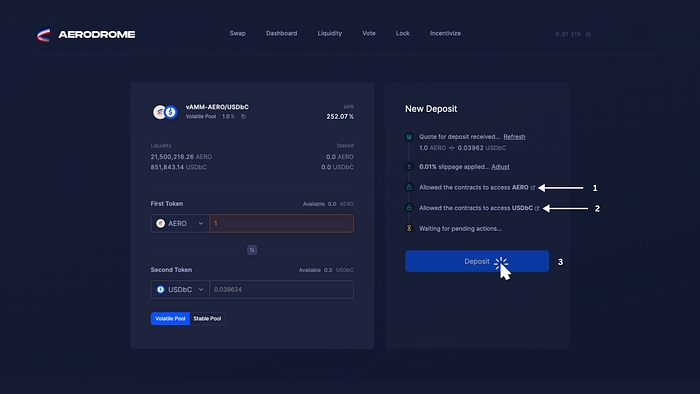
Choose the first token and the second token, then specify the amount you wish to deposit in order to create your liquidity pair (LP).
Once you’re satisfied with your decision, grant the contracts permission to access your First Token and your Second Token. After these transactions are approved, the Deposit button will appear. Simply click on Deposit, confirm the transaction, and voila! Congratulations, you’ve successfully created your LP on Aerodrome. However, your journey isn’t over yet!
Start Earning With High APRs
Now that you’ve successfully created your LP, you should have your LP tokens in your wallet. Next, head over to UniTomb and locate the pool you’ve just created liquidity for. Deposit those LP Tokens into your designated pool and start earning with High APRs!
Congratulations
Congratulations on successfully creating your LP on Aerodrome.Finance! Now, you can participate in UniTomb and start earning High APRs. If you found this tutorial helpful, please show your appreciation by giving it a round of applause and sharing it with others!
Last updated